
Introducing Broker Customization Tools for Ocusell List Plus™
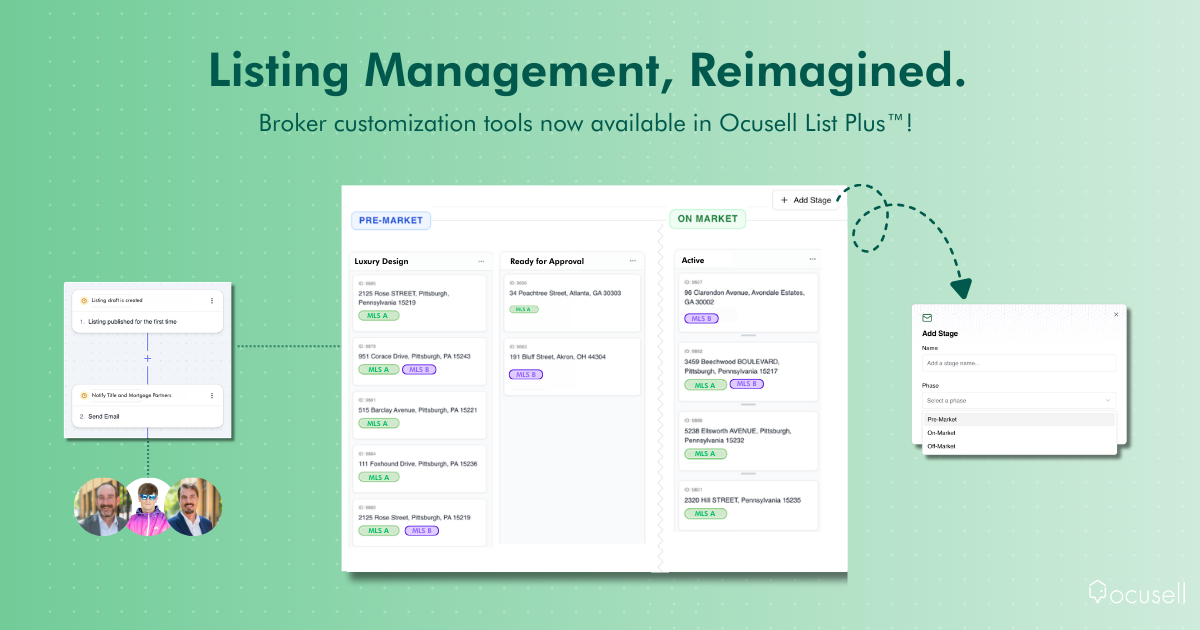
Today we’re excited to announce a major rollout to Ocusell List Plus™, introducing powerful customization tools that give brokers greater visibility, control, and flexibility across their entire listing process.
Why We Built This
Many people know Ocusell as a powerful add/edit platform that gives agents and brokerage staff one place to easily create and publish listings to multiple MLSs while ensuring compliance. And while that’s still at the core of what we do, listing management doesn’t start or stop at listing input.
Behind every listing is a much larger process that every brokerage manages every single day. From pre-listing coordination, to internal reviews and approval processes, preparing the listing for marketing, and ongoing management once it’s been published, the add/edit experience is just one piece of a much bigger puzzle.
“After hundreds of conversations with brokers and agents we learned that no two brokerages operate the exact same way,” said Will Ogles, Chief Product Officer at Ocusell. “Most software forces brokerages to re-engineer their workflows to fit the platform, rather than the platform adapting to the brokerage. We want to build tools that are fully customizable, flexible, and dynamic.”
New Customization Tools
This new suite of customization tools gives brokerages and teams full control to define, automate, and manage their entire listing process, from pre-market coordination through post-marketing management.
From custom internal and external notifications and a stage manager, these tools give enhanced visibility into every step of the listing process, redefining what listing management looks like today.
What’s Possible with These Tools
Below are just a few examples of how brokerages can use the Workflow Builder and Stage Manager.
Create custom notifications with the Workflow Builder
With the Workflow Builder, brokerages can set up custom notifications and actions based on listing activity — ensuring the right people are informed at the right time.
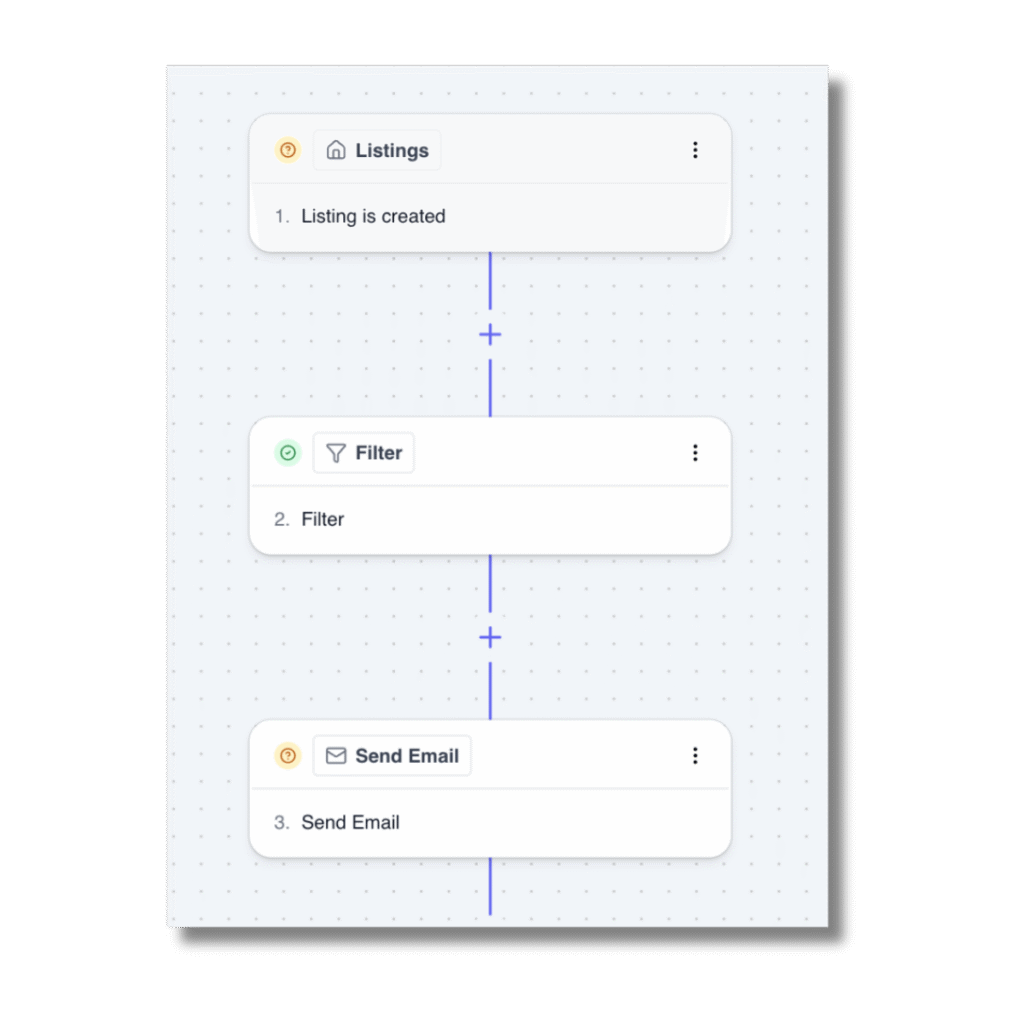
Here’s what this could look like in action:
- Notify ancillary services when a listing draft is created, so that mortgage, title, and inspection partners are automatically alerted when a listing is coming, instead of relying on agents to manually notify them.
- Alert admins or staff when an agent makes an edit to the price or status of a listing.
- Notify marketing partners as soon as a listing is created and has key property details so the marketing partner can begin preparing a Coming Soon package.
Get Visibility at Every Step with the Stage Manager
The Stage Manager gives brokerages a centralized view to see where every listing sits in the process, from pre-market to sold stages.
Many brokerages have multiple internal steps during the pre-market phase, often involving coordination across departments, so increased visibility is critical.
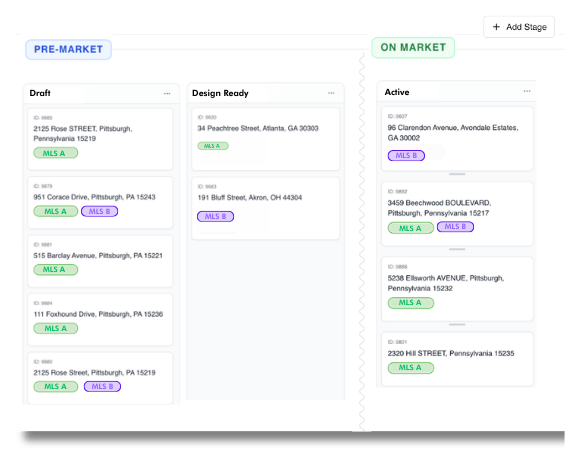
With the stage manager, brokerages can create custom stages that reflect their unique process, and automatically move listings between stages based on specific criteria.
Here’s how the stage manager can be applied in action:
- Luxury Design Stage: Automatically move any residential sale listing over $1M into a “Luxury Design” stage, which will trigger a notification to a dedicated luxury coordinator.
- Ready for Admin Approval Stage: A stage that shows all listings awaiting final admin approval before publishing to the MLS(s).
How to Get Started with These Tools
To get started, Ocusell’s customer success team will work closely with your brokerage to configure workflows, notifications, and stages to make the process as seamless as possible. From there, you can manage and create new workflows and stages directly in Ocusell List Plus™.
These tools redefine what exists today in the industry and represent a move away from static listing tools and toward flexible listing management, marking a major milestone in the industry.
Don’t miss your chance to see these powerful features in action, click here to schedule a demo.